+ how to do photo expansions, add a vignette, and add backlighting
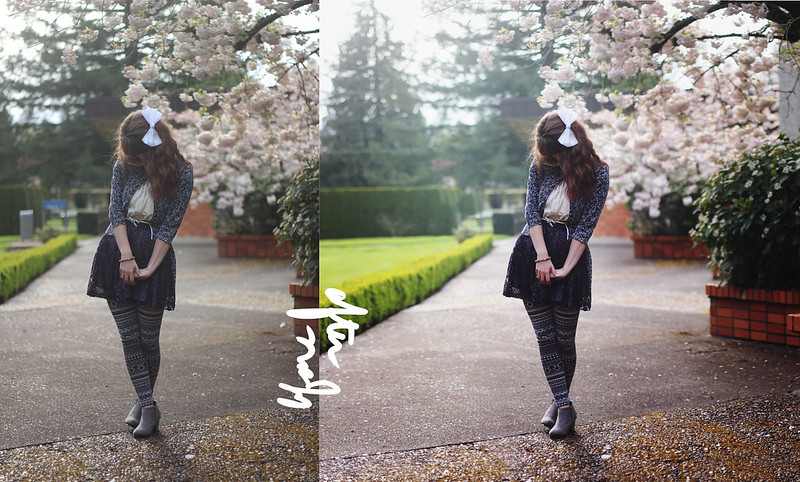
Today I'm going to show you how I edit my main outfit photo from start to finish. First of all, I shoot with a Canon t3i and 50mm 1.8 lens, use a tripod and remote, and edit with photoshop cs6 and a wacom tablet. Second of all, you can do this tutorial with any kind of camera and any kind of editing software. There's tons of free editing programs, and I believe photoshop cs2 is now available for free, so there are endless possibilities. As for cameras, you can even do this with a point and shoot. Perhaps it won't be as blurred as other, more expensive cameras, but you can even do blurs in photoshop. I did my entire first 365 with a $75 point and shoot, so you have no excuse! ;) Never let equipment get in the way of your creativity.
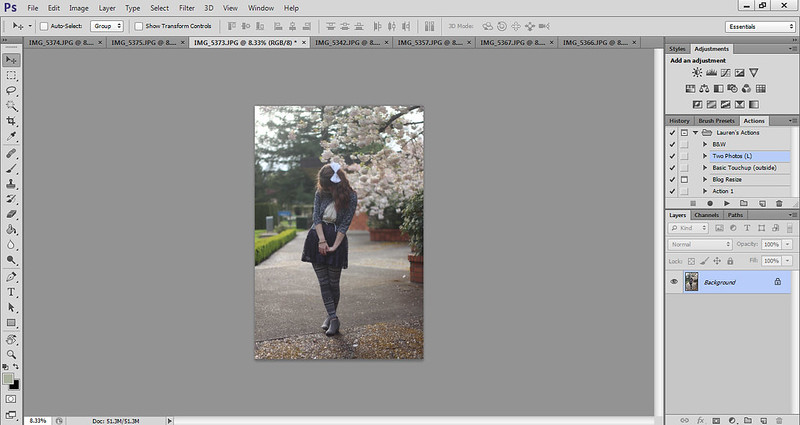
Let's begin! Here is the photo, completely unedited, in all it's glory. It's a good picture and there's nothing wrong with it, but because the camera is a machine, sometimes it doesn't capture how we remember things. So photoshop is great to fix those machinery imperfections. That's how I see using photoshop to touch up realistic pictures.
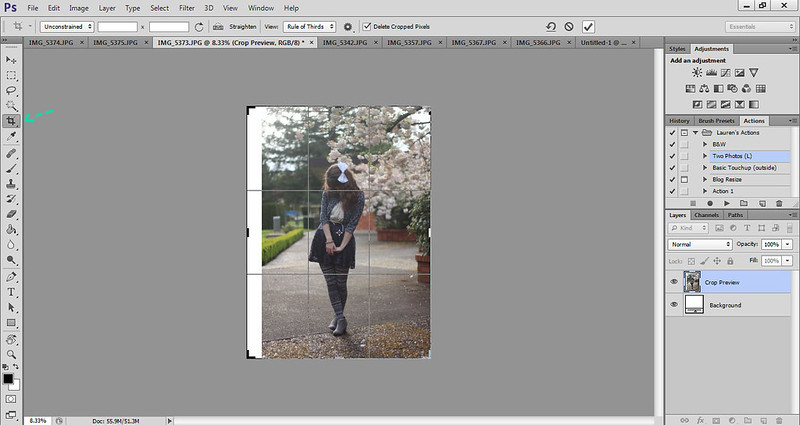
Step one: first I use the crop tool (press "c" in photoshop) and expand the photo so that I am perfectly centered. Then I press the check button on the top bar to confirm the action.

Step two: then I go to image>canvas size and adjust my width to be perfectly square.
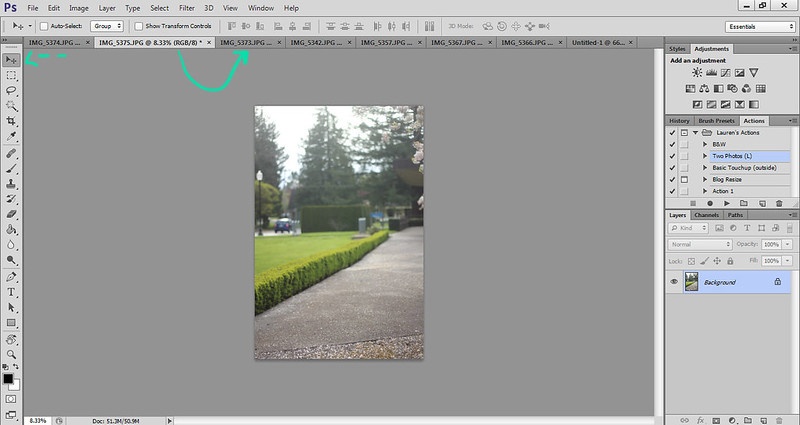

Step three: I had already taken two more photos of either side of my surroundings, and have them opened in photoshop. I use the move tool (press "v") and click on one photo and drag it over to the tab which then reveals my main photo. The second photo is now on a new layer (which you can see on the lower right side). I lower the opacity, which is on the right, right above the snapshot of the layers. Lowering the opacity allows me to line up the photo perfectly. This is also how you do the Brenier effect, which gives your photos a wide angle, shallow depth of field effect (which is actually impossible to achieve with a camera lens taking a single photo). You can do this effect on any photo, taking as many pictures to create your giant image. It's how I create most of my photos.

Step four: Then I add a layer mask by clicking the third inner button on the bottom right side. A layer mask is basically a forgiving way to erase parts of your photo. On a white layer mask (which is the default), a black paintbrush will erase, and a white paintbrush will unerase, so to speak. Don't worry if you don't quite understand it at first--it took me forever to figure out. I use the black paintbrush on the layer mask to erase the edges of my second photo, which allows for seamless transition.
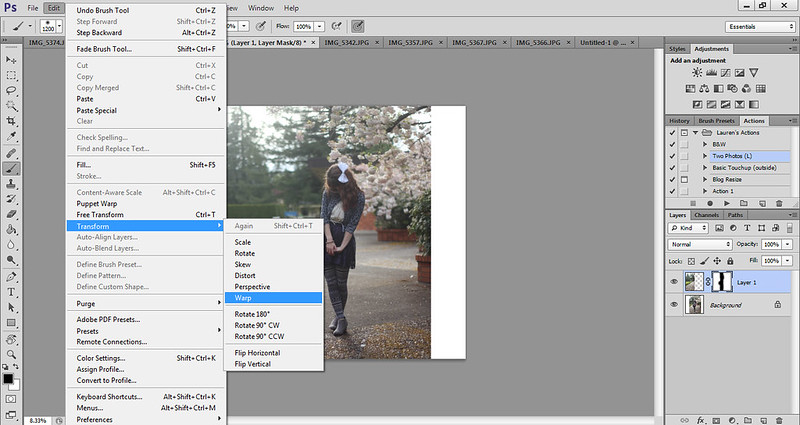
Step five: Sometimes the photos don't line up perfectly and you get repeating patterns in the ground or treeline, so the warp tool (which is only available for cs6, sorry) really comes in handy. I literally just warp the layer to stretch so that the repeating patterns disappear.
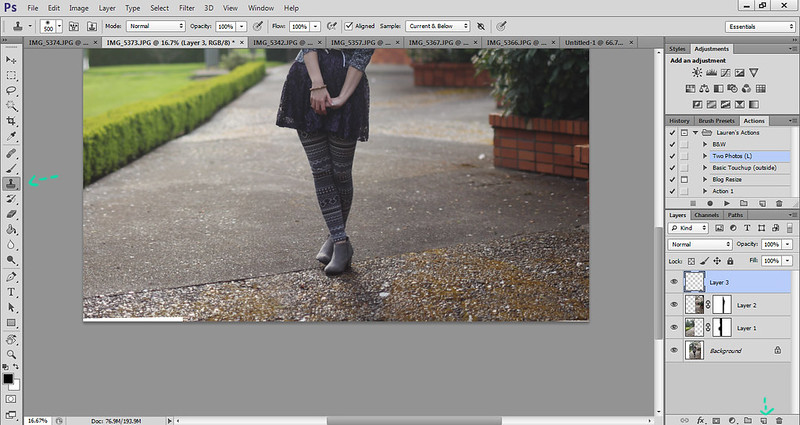
Step six: for any white space, I use the clone tool ("s"). First I create a new layer (on the lower right side), then I use the clone tool. You hold down "alt" (or "option" if you have a mac) to sample the part of the photo that you want to clone, making sure that you can sample the current layer and below, which you can toggle on the top bar. Then you paint over the white space with the same texture around it.

(I also use the clone tool to clean up the background a bit, removing any distracting elements.)
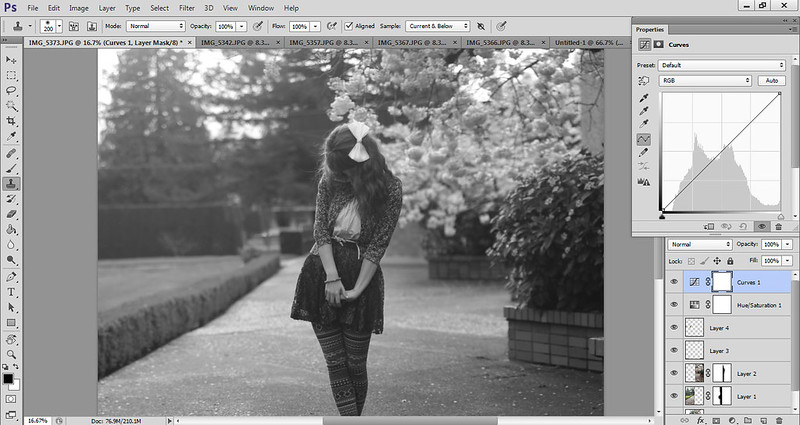

Step seven: Then I use the desaturation tool (which is under the adjustments bar, the first one on the second row) to momentarily desaturate my photo. Then I use the curves tool (the one I actually circled in the picture) to change the contrast of shadows and highlights. Turning the photo black and white takes away the distraction of having color so that I can focus solely on the tones. You can use the hand tool to click and drag on any part of the photo that you want to make darker or lighter. Basically, with the curve line, the lower you drag it, the darker that particular tone gets. The left side deals with darker tones, and the right side deals with lighter tones. An "S" curve usually gives you nice contrast.
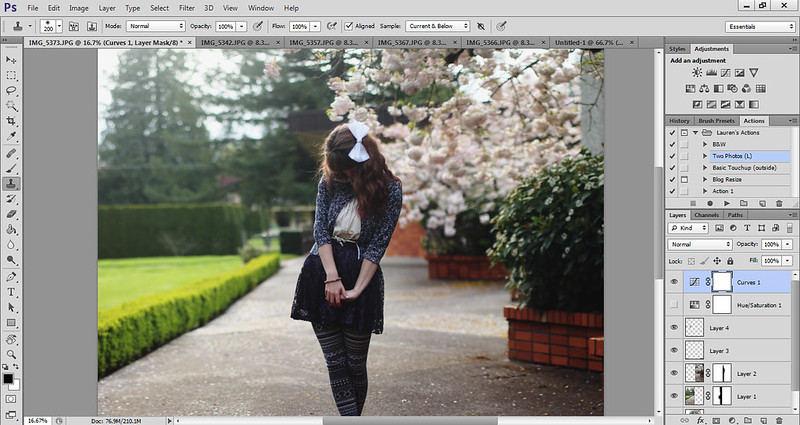
Step eight: I click the eye button next to my saturation layer to make it invisible, and you can already see a big difference in the photo.
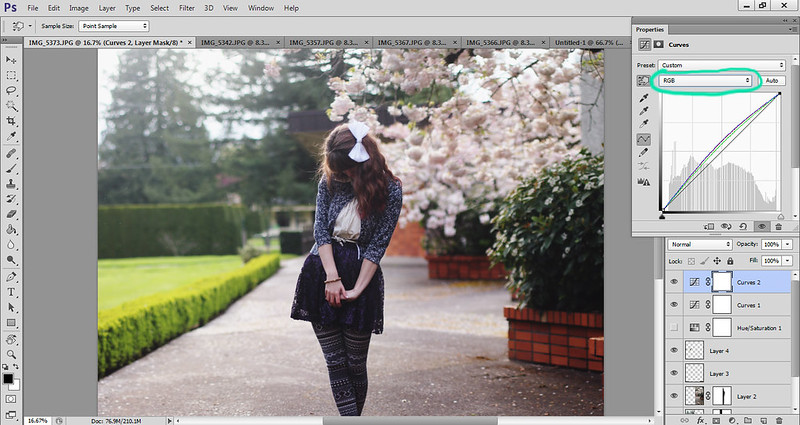
Step nine: Then I create another curves layer. This one is to adjust individual colors. The curves line then for red, for example, deals with red and its opposite, cyan. Left still deals with shadows, and right with highlights. Raising a point on the line adds more red to that particular shadow or highlight, and lowering it adds more cyan. The opposite of green is magenta, and the opposite of blue is yellow.
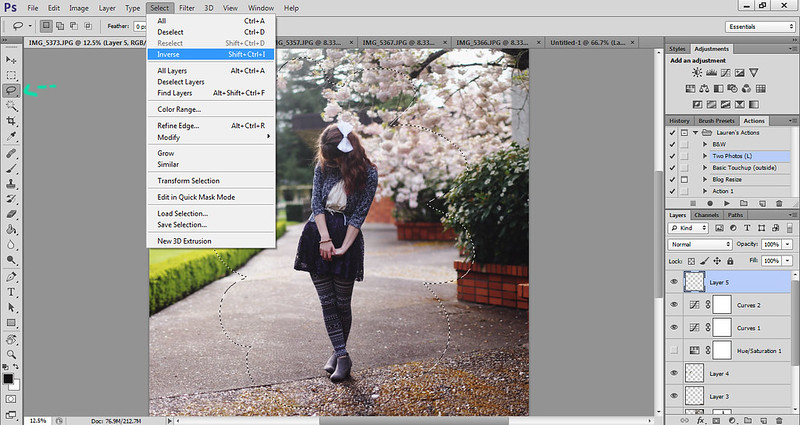
Step ten: We are nearly done now. Next I add a vignette to the photo. I create a new layer, use the lasso tool ("L"), and draw a cloud figure around me. Now I have a nice selection layer. I go to select>inverse to then select everything but me.

Step eleven: Making sure my brush is set to black (or a dark brown color), I go to edit>fill, and fill my selection with the foreground color. Then I deselect by simply clicking on the photo. This will remove those blinking lines.
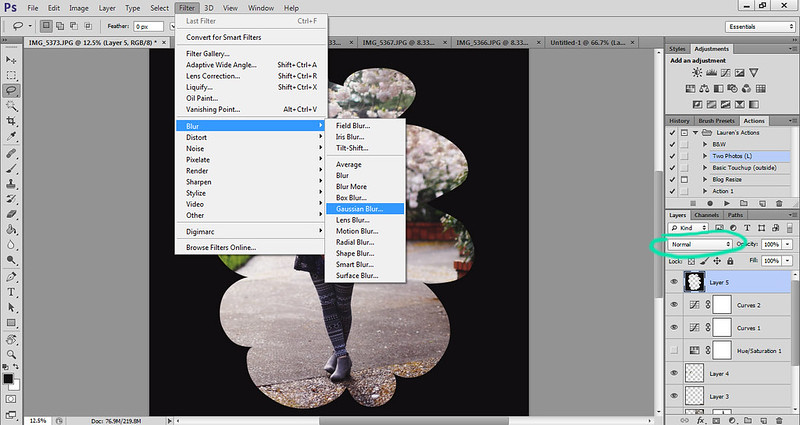
Step twelve: Then I go to filter>blur>gaussian blur, and generally do it to 333 pixels. This will blur the black border significantly.
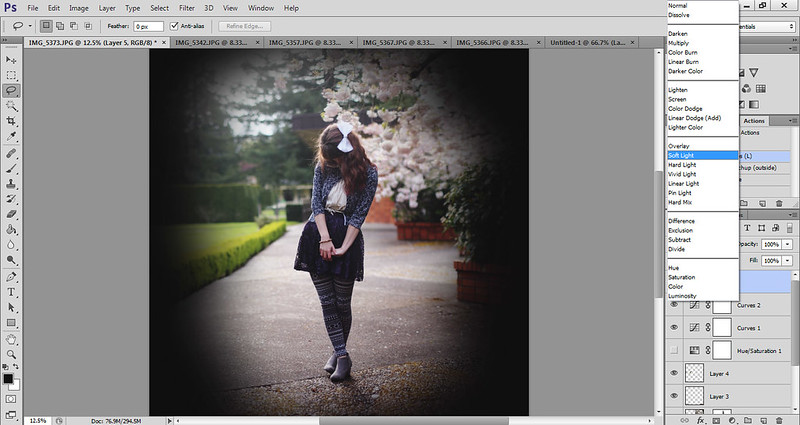
Step thirteen: After that I change the mode on the layer to soft light and lower to the opacity to about 30%, depending on the photo. And now you have a nice vignette!
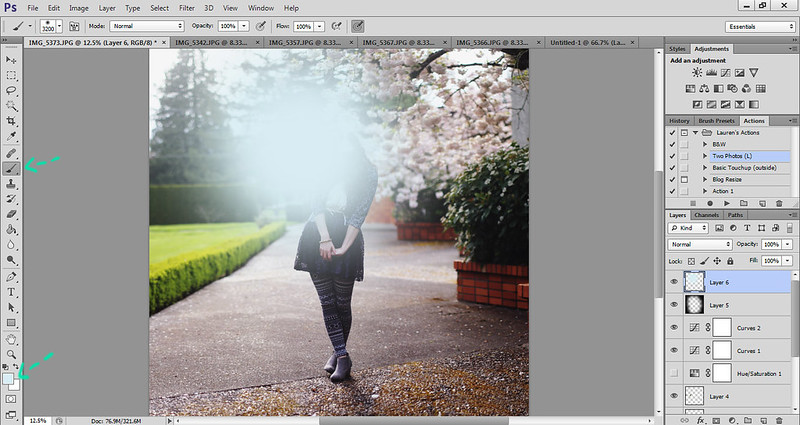
Step fourteen: This part is bonus, as I've just started doing this to my photos. To add some nice backlighting, choose a nice light color by clicking on the color box in the bottom left corner. Create a new layer, and paint a giant circle (adjust size by either using the size bar at the top left corner, or by pressing "]") on the layer. Change the mode to soft light.
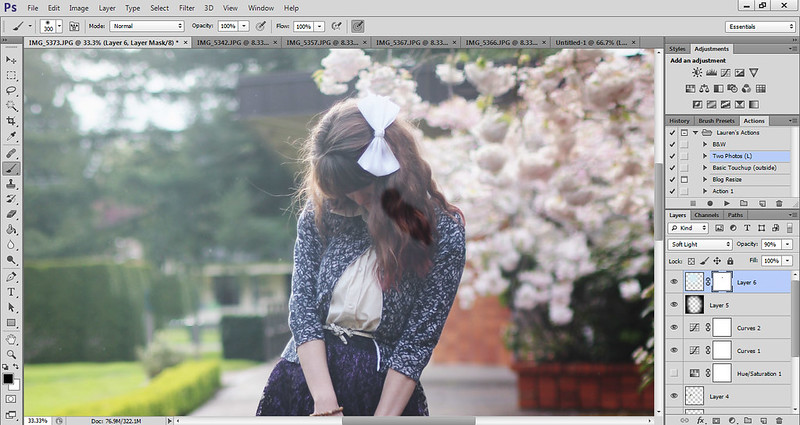
Step fifteen: Then add another layer mask and paint black (ie erase) the color around your face and body. Then lower the opacity to your desired look.
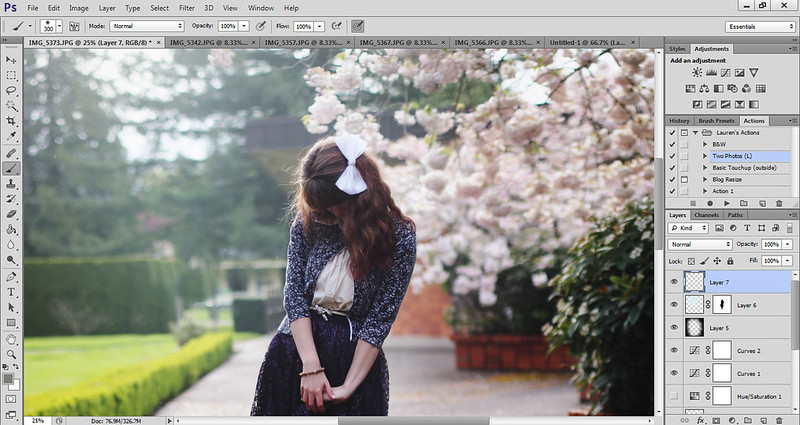
Step sixteen: I then create a new layer and use the brush tool (you can change the color by holding down "alt" or "option" and clicking on whatever color within the picture you want) to remove any excess hairs that are sticking out.
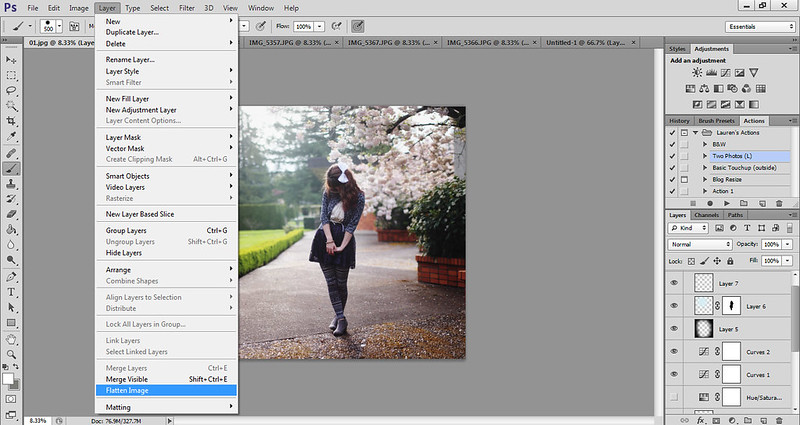
Step seventeen: Then I go to layer>flatten image (yes, discard hidden layers), which puts all the layers together. This allows you to save the file as a jpeg. Save your photo ("ctrl" + "s") and you're good to go!
I hope this tutorial comes in handy for you. This is how I edit all of my outfit photos, and the outline for how I edit my more "creative" photos. If you have any questions or need clarification on anything, please don't hesitate to ask! And if there are any other tutorials you would like to see, let me know!
Have a great day!
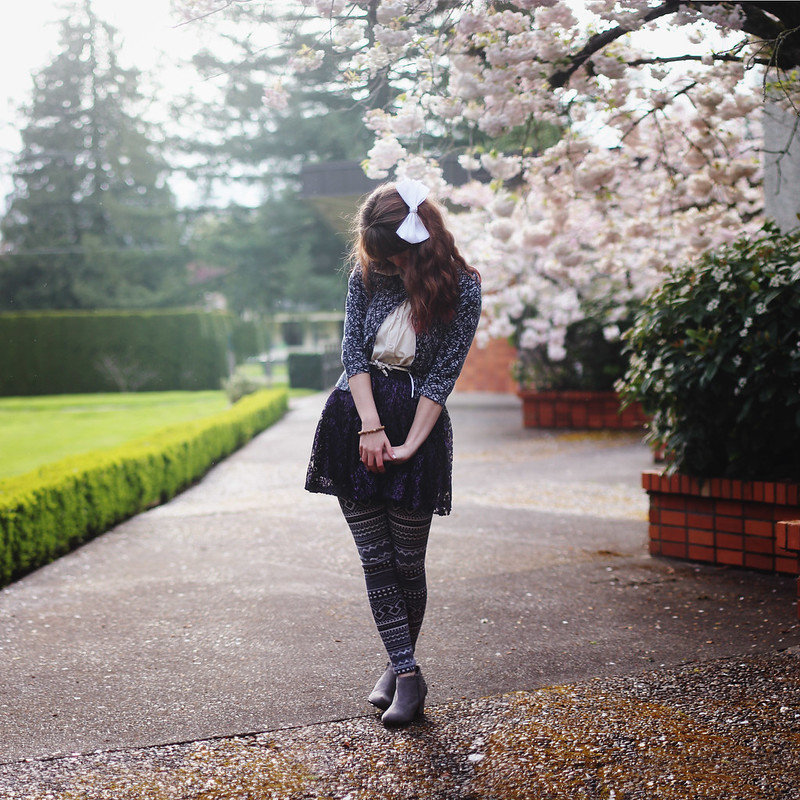
cardigan: maurices (?) // leggings: forever 21 // shoes: borrowed // shirt: c/o sugarlips // skirt: thrifted
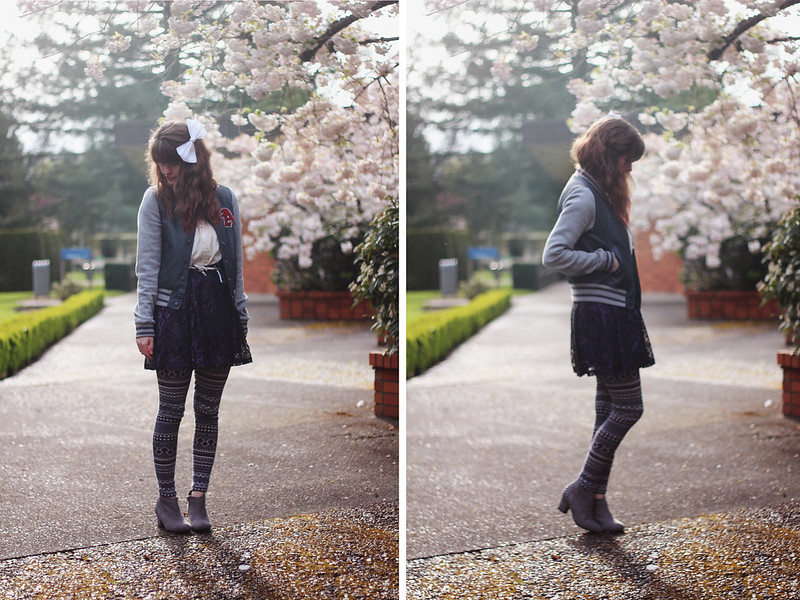
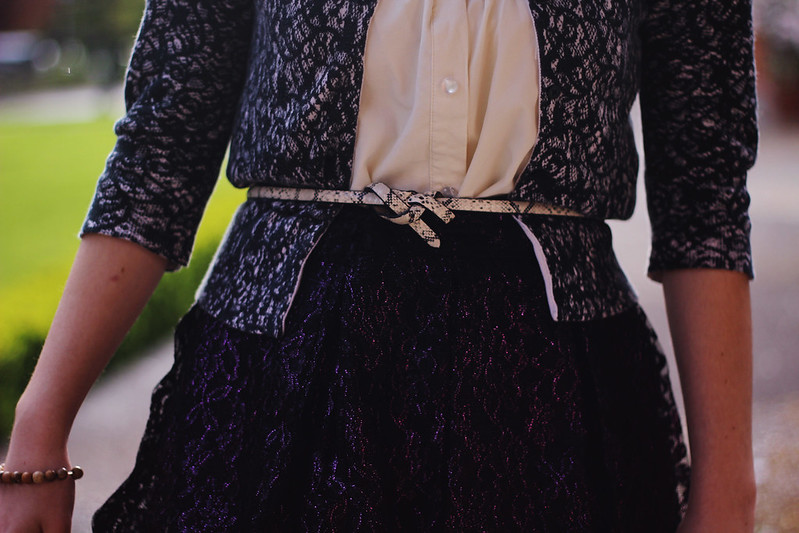
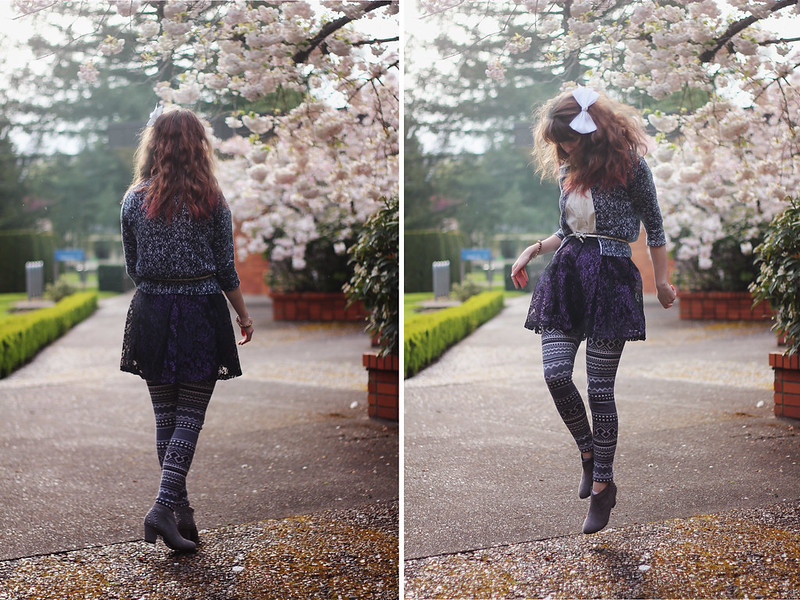
Greetings to you from a very confused Oregon weather system! I swear, one moment the sun is out and it's sweltering and I'm breaking out my legs that haven't seen the light of day for months, and the next moment everyone's putting on coats and leggings again. It's even more awkward when you walk into class wearing shorts, and you walk out wishing you had packed on the layers. I suppose there's ridiculous weather everywhere though. When I used to live in Oklahoma, we would have tornadoes one day and blizzards the next. And of course after the tornadoes passed over us, we would climb out of the storm cellar and go out to eat. Typical Oklahomans. Tornadoes are definitely one thing I do not miss about Oklahoma. Earthquakes, I can handle. There's no time for my imagination to take over in an earthquake. But with tornadoes, when the sirens go off, you have maybe five minutes before the tornado hits and it's the scariest thing ever, especially when you're preparing yourself for the worst. I used to have awful tornado dreams too. Thankfully there's no tornadoes in Oregon or Alaska, so I'm home free.

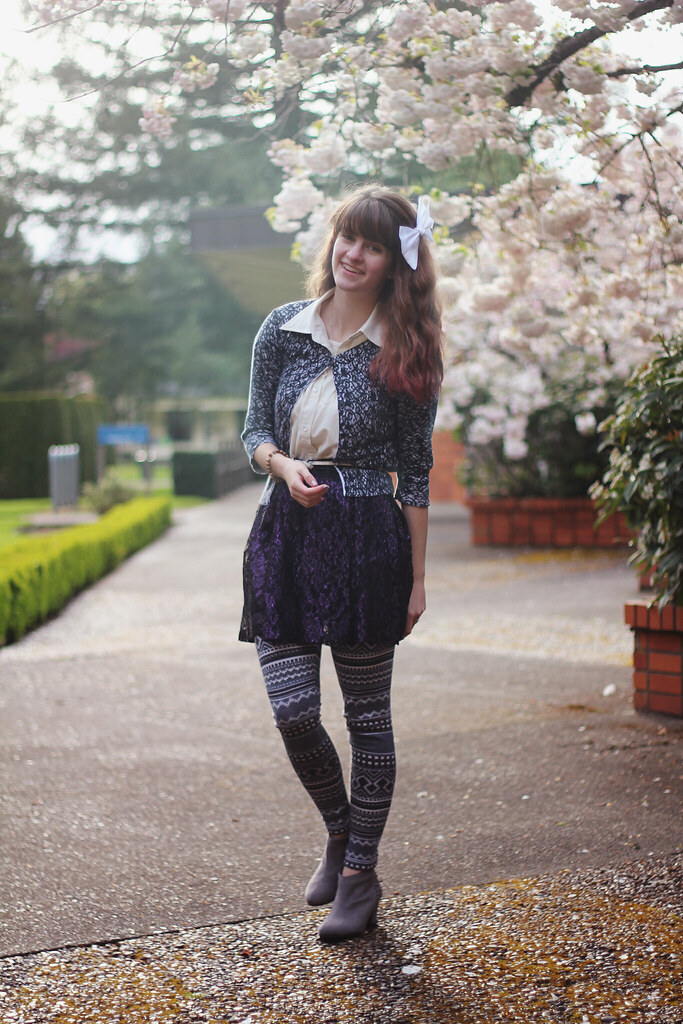
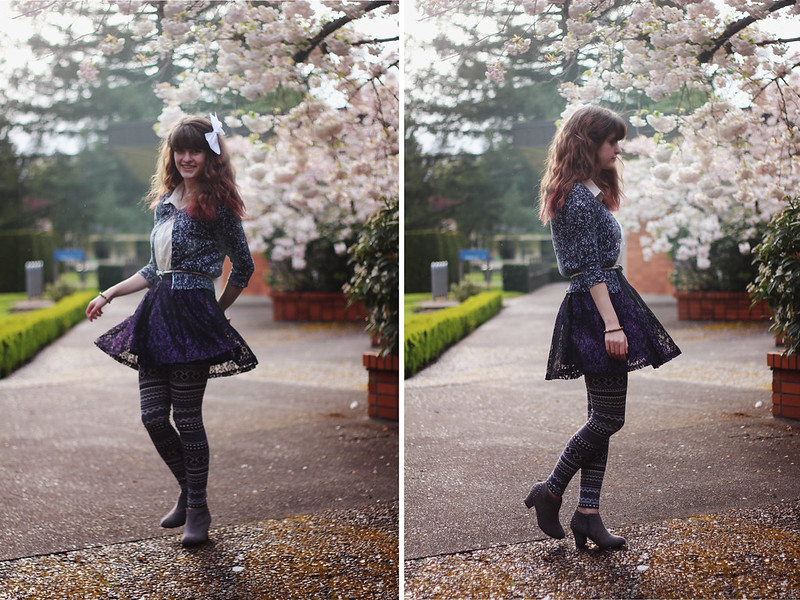
On a completely different subject, I have a really fun post for you tomorrow! It deals with photography ... Can anyone guess it? That's right, a tutorial! Tomorrow I'll show you guys how I edit my outfit pictures, specifically today's outfit photos, plus a few extra tips and tricks, so stay tuned for that!
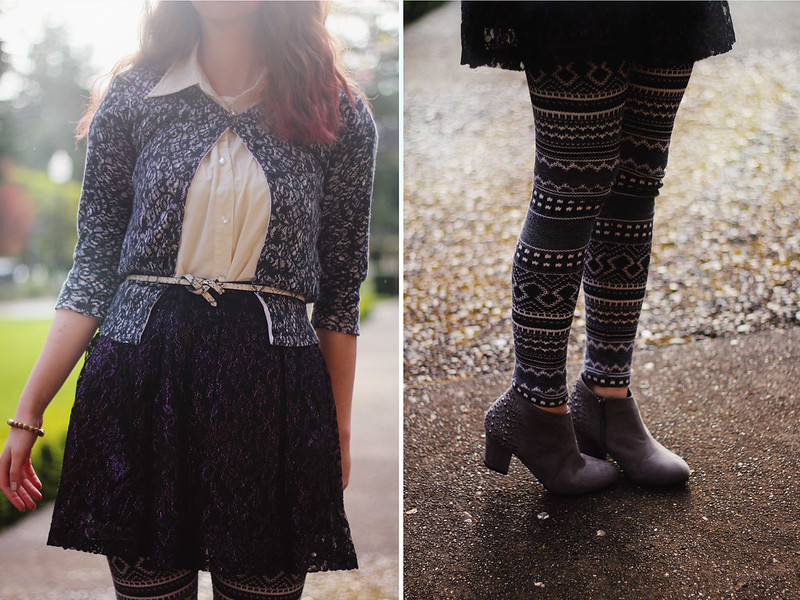
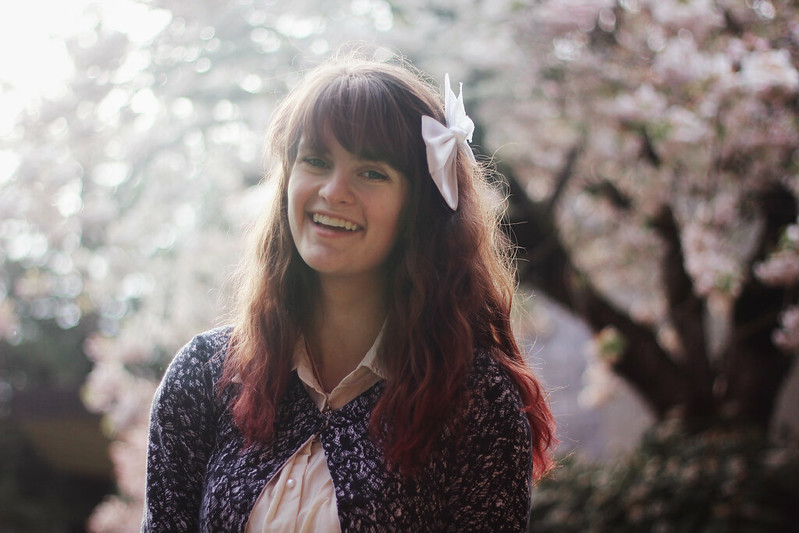
Have a great day everyone!

shirt: borrowed // striped shirt/boots: forever 21
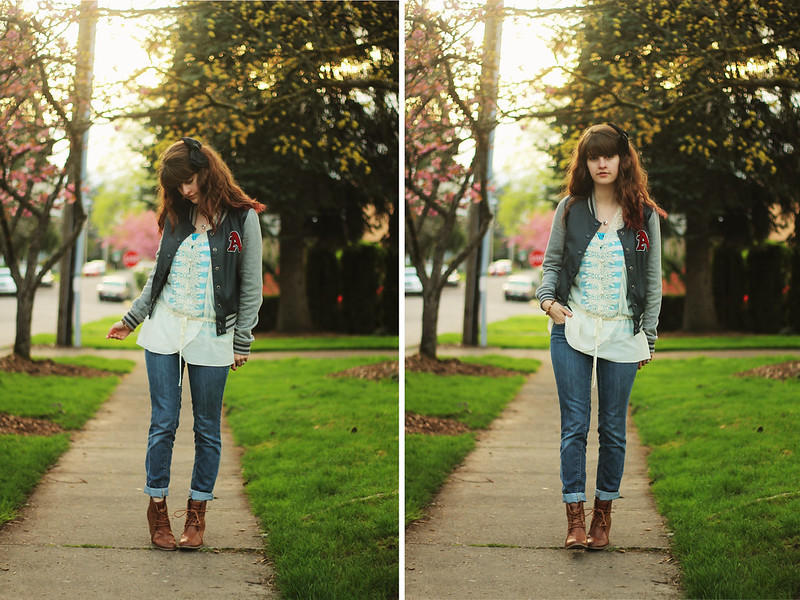
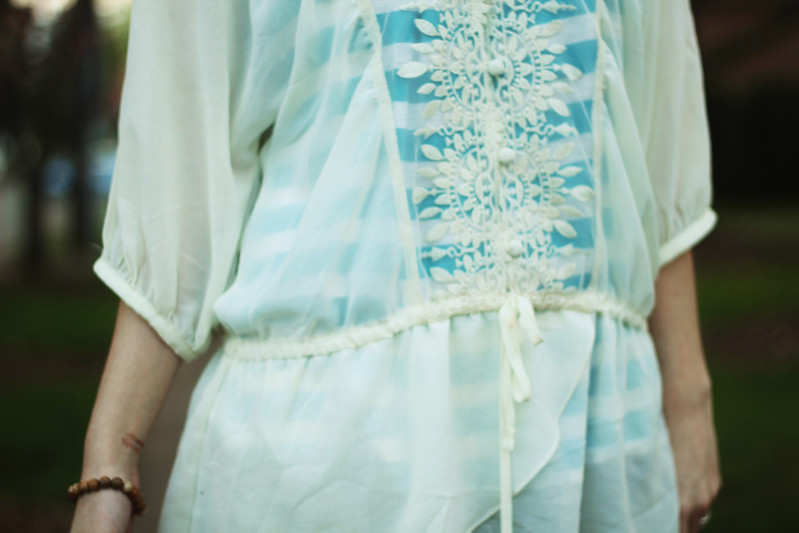
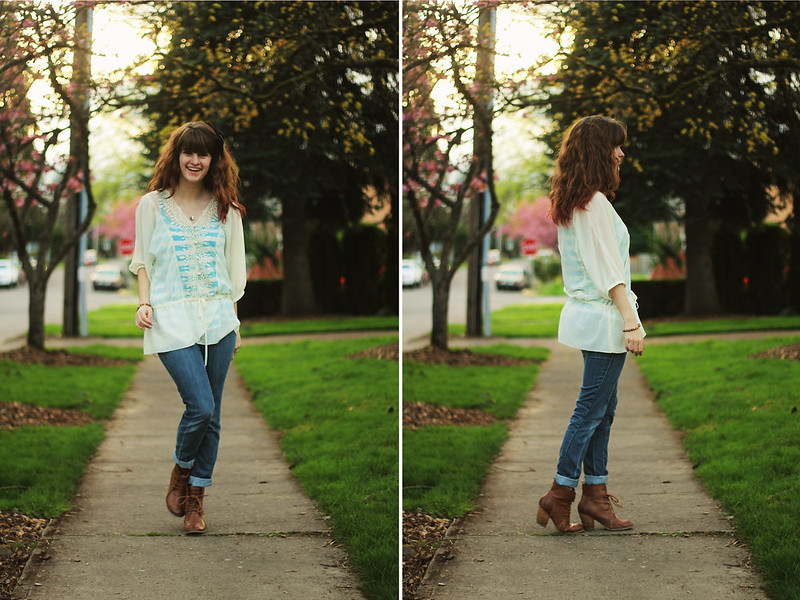
I wasn't planning on taking photos of this outfit, as I don't really find my lazy day outfits interesting enough to put on here, but I felt really pretty wearing it and my nails matched what I was wearing (love it when that happens) and the sun was shining, so I thought, "Heck, why not?" So I took a walk and shot beside a busy street, pretending to look at my camera whenever people walked past. I'm slowly but surely getting more comfortable shooting myself in front of people. It's weird how my mind works though, if I was in a crazy outfit doing crazy things for a "creative" photo, I wouldn't be so nervous shooting in a busy location. But posing normally? Perhaps it's the shock factor of those crazy photos that I hold on to (anything for the sake of art, am I right?), but then for outfit photos, I'm just taking pictures of my outfit .. how conceited! Which is also an absurd thought because I don't think I'm conceited, nor do I think any of the people behind the blogs I follow are conceited. In fact, if I saw someone taking pictures of themselves, I would think they were the coolest person ever! I don't know where I'm going with this, but let's just say that I think all you people with blogs are the coolest ever. Rock on!


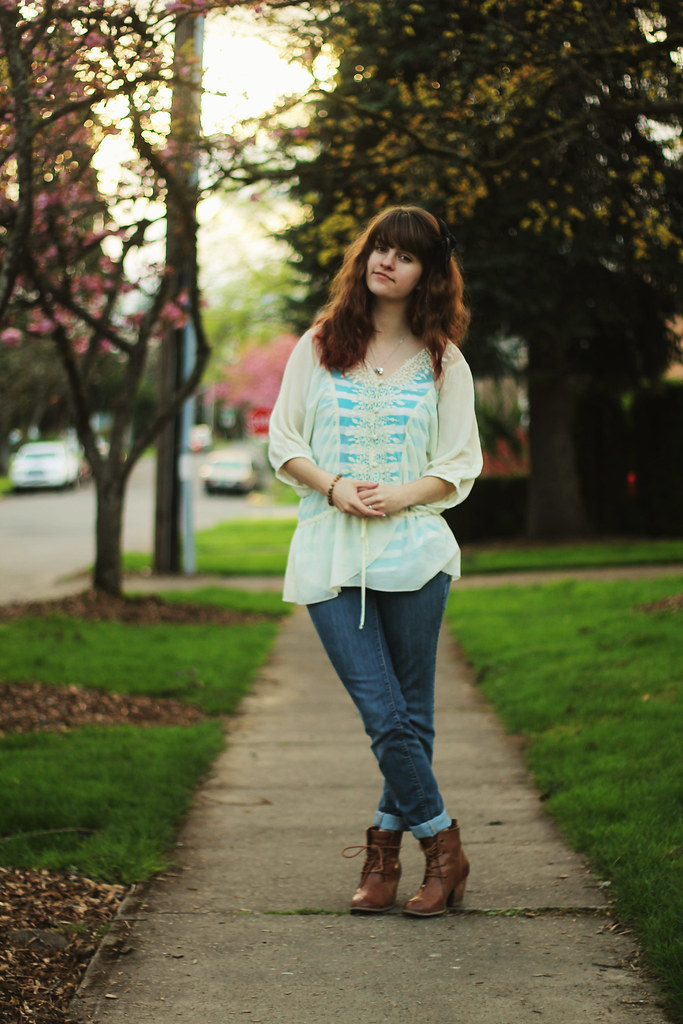
Tuesday I sold my second piece of art ever! My photography teacher bought my piece from the Student Art Show, and yesterday I traded the framed piece for an envelope full of cash. It almost paid for my expenses for taking his class, haha. But in all seriousness, it's a fantastic feeling to have people so interested in your art that they want to have it hanging in their home. (Especially someone as cool as my photography teacher.)

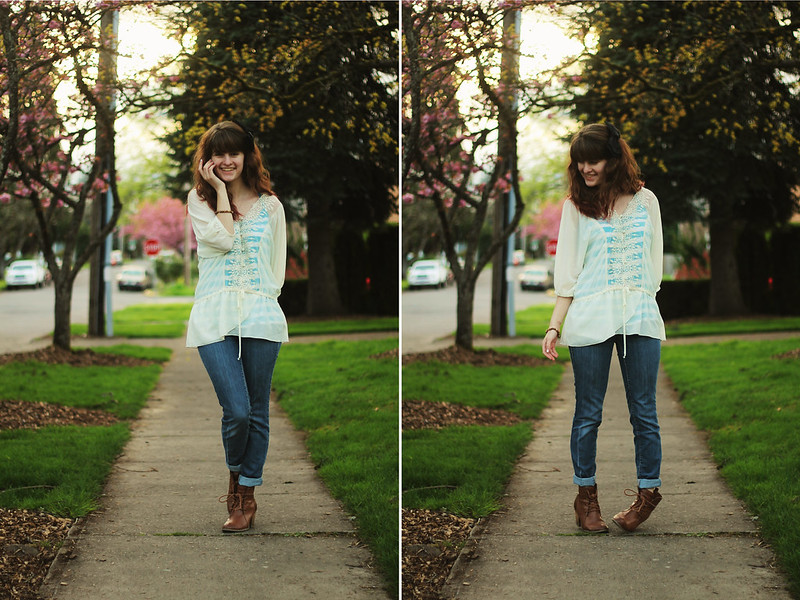
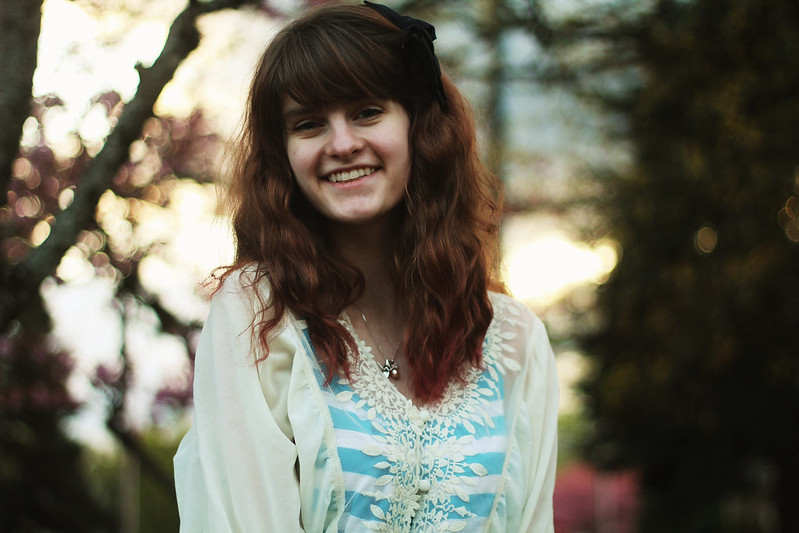
Well, I best be off. My English teacher decided to have us read 90 pages for class tomorrow, and I'm nearly finished.
Update: I read it! So much reading ... my brain ...!
Have a great Wednesday!
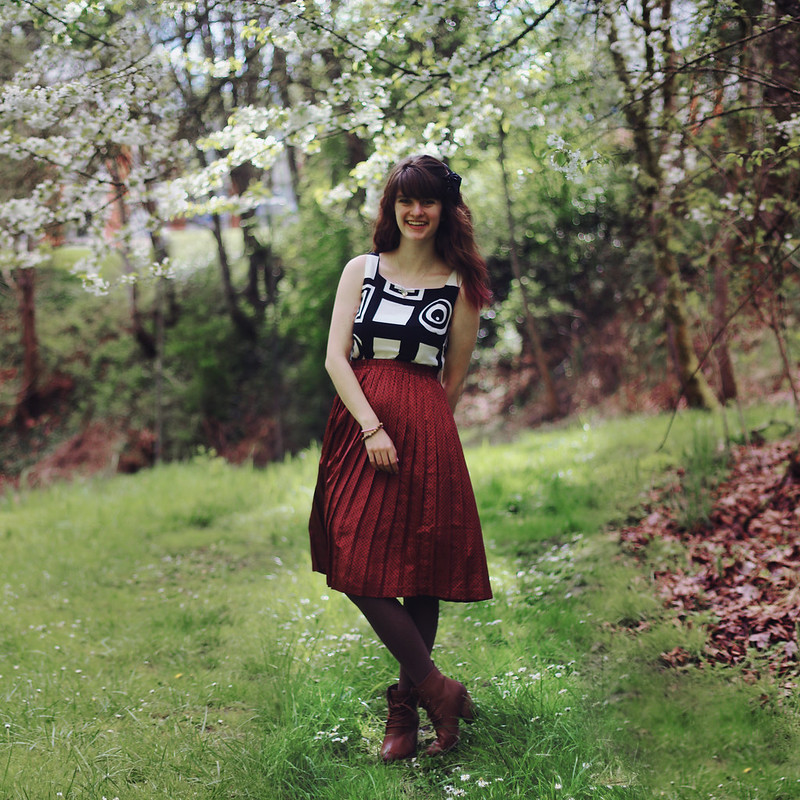
dress: thrifted // skirt: borrowed // tights: walmart (?) // boots: forever 21
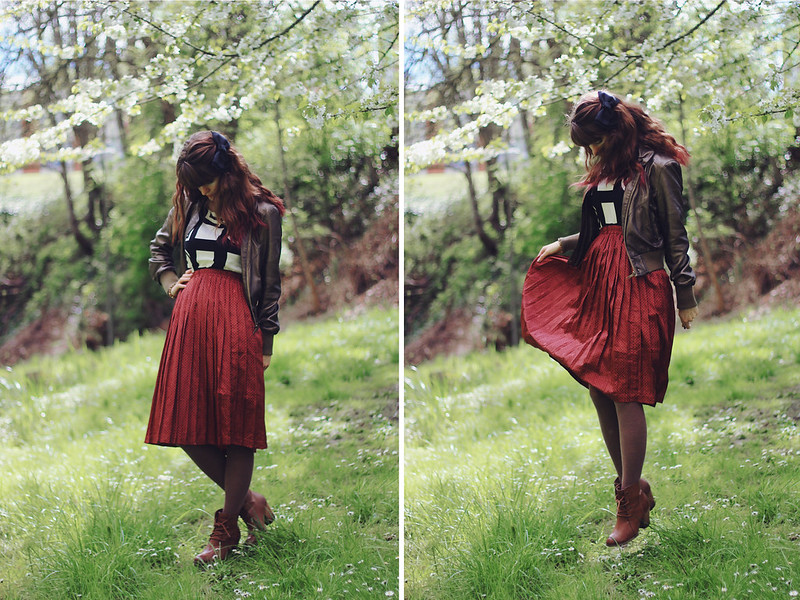
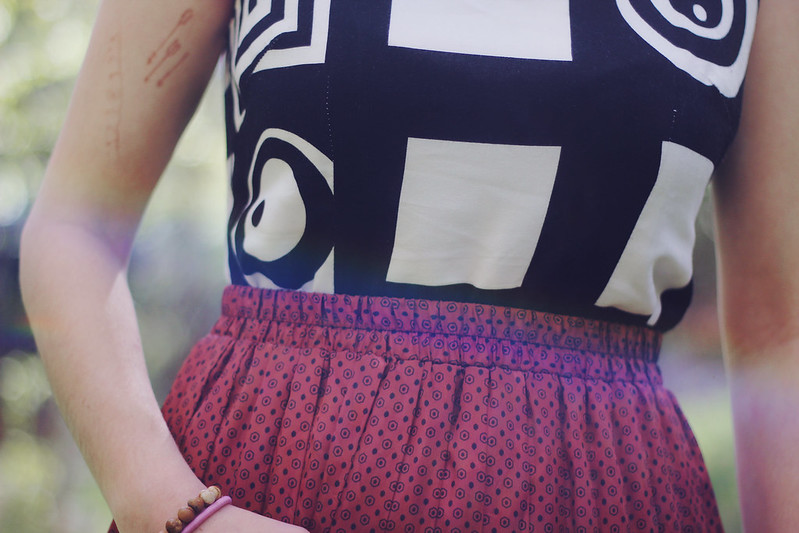
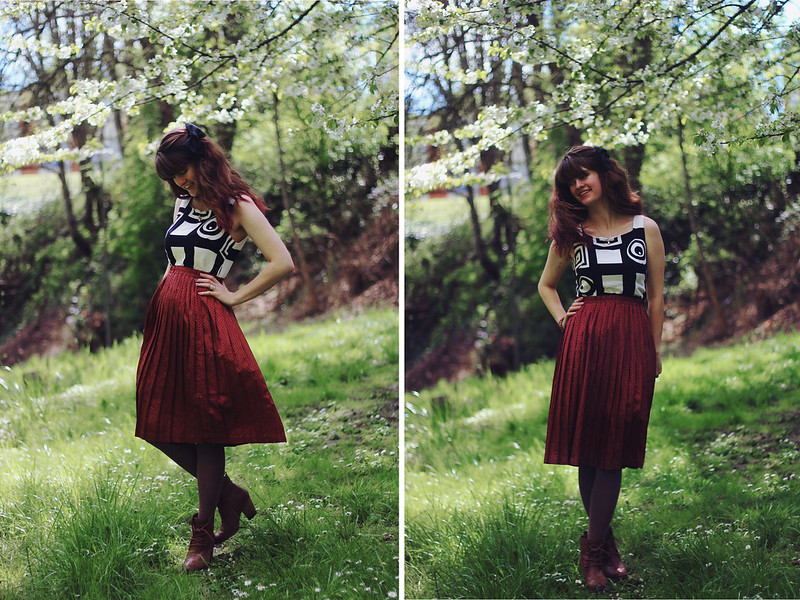
In light of a lot of tragic events, both personal and national, I vote we just take a moment to recall all the good in the world (so I apologize for these photos not matching the mood). I've been pretty hung up on bad situations--one of my friend's dad suddenly passed away, another friend's dad is about to pass away, and with all of the bad things going on in our country, I can't just ignore writing about it here, even though I really want this blog to be a positive place. Sometimes bad things happen and we have to deal with them. Life is just so fleeting, and once again I have to come to terms with that. I try not to take the people I love for granted, from losing friends all throughout my life, I know just how short the time you have with people is. Sure, some of those people I know are still alive--I can only imagine the heartache if they disappeared forever. Please never take your relationships for granted and cherish each moment.
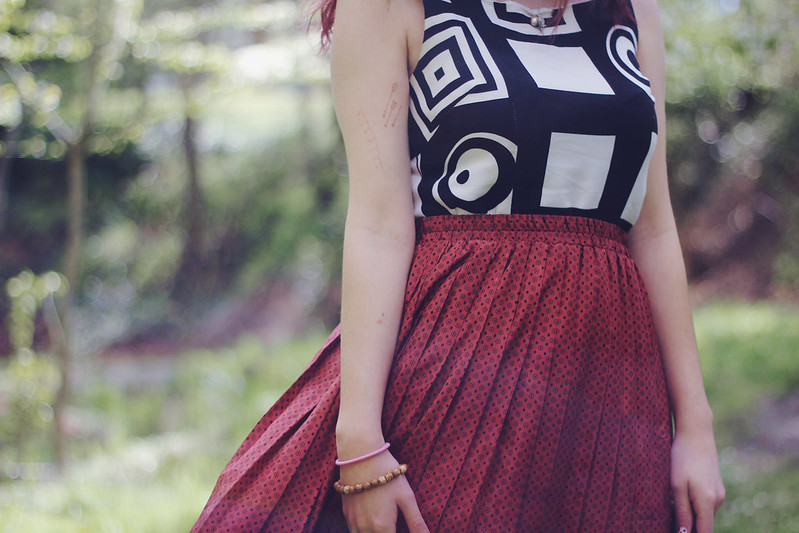
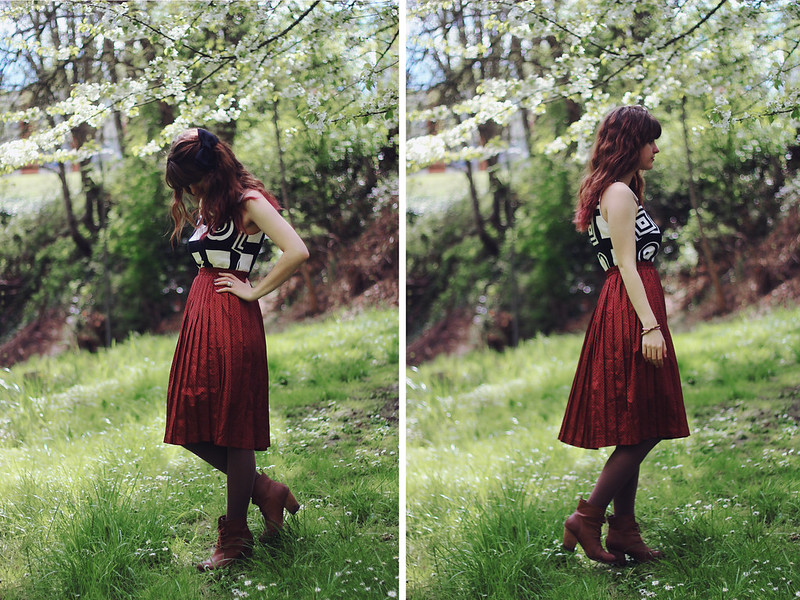
But specifically with yesterday's events, I just want us to take a moment to remember all of the good that's in the world, and how many good people there are.
"Here’s what I DO know. If it’s one person or a HUNDRED people, that number is not even a fraction of a fraction of a fraction of a percent of the population on this planet. You watch the videos of the carnage and there are people running TOWARDS the destruction to help out. ... This is a giant planet and we’re lucky to live on it but there are prices and penalties incurred for the daily miracle of existence. One of them is, every once in awhile, the wiring of a tiny sliver of the species gets snarled and they’re pointed towards darkness.
But the vast majority stands against that darkness and, like white blood cells attacking a virus, they dilute and weaken and eventually wash away the evil doers and, more importantly, the damage they wreak. This is beyond religion or creed or nation. We would not be here if humanity were inherently evil. We’d have eaten ourselves alive long ago.
So when you spot violence, or bigotry, or intolerance or fear or just garden-variety misogyny, hatred or ignorance, just look it in the eye and think, “The good outnumber you, and we always will.” - Patton Oswalt
I think that speaks greater than what I could write. I know there's good in the world. There are so many wonderful people and the kindness I've seen fills my heart with hope for humanity. In these times of darkness, good people just have to shine their light extra brightly.
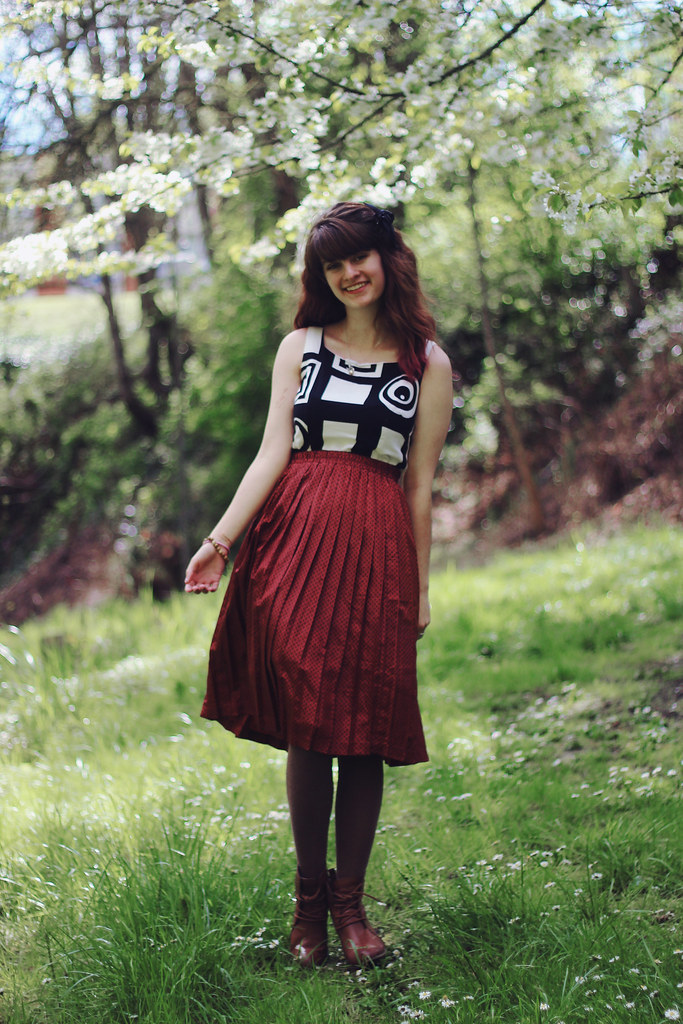
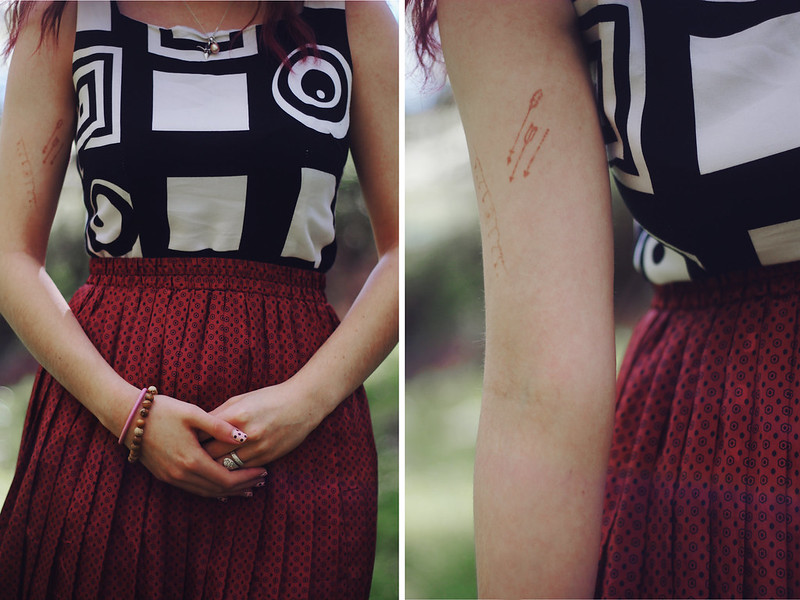
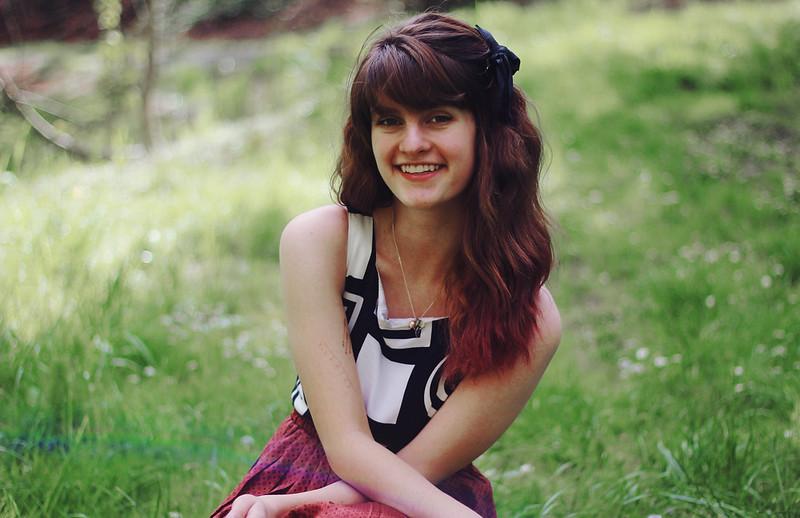
I hope you have a really wonderful and safe day.

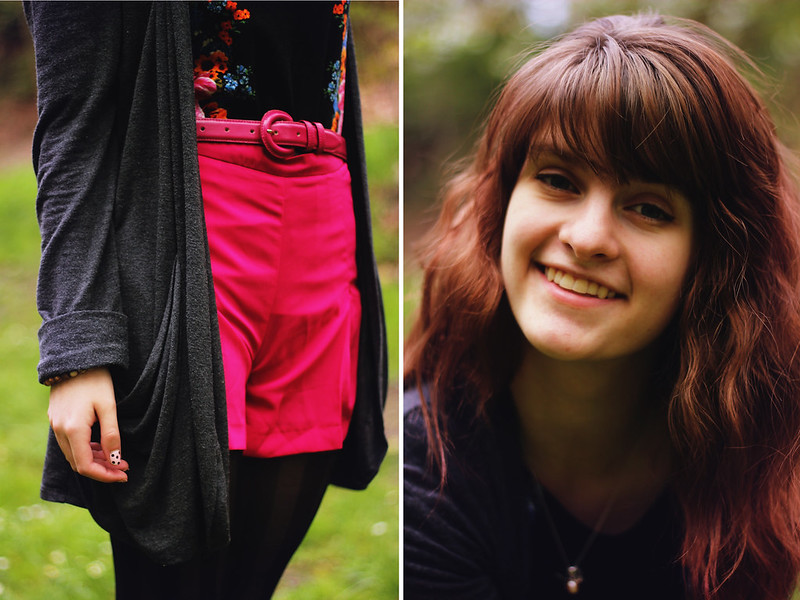
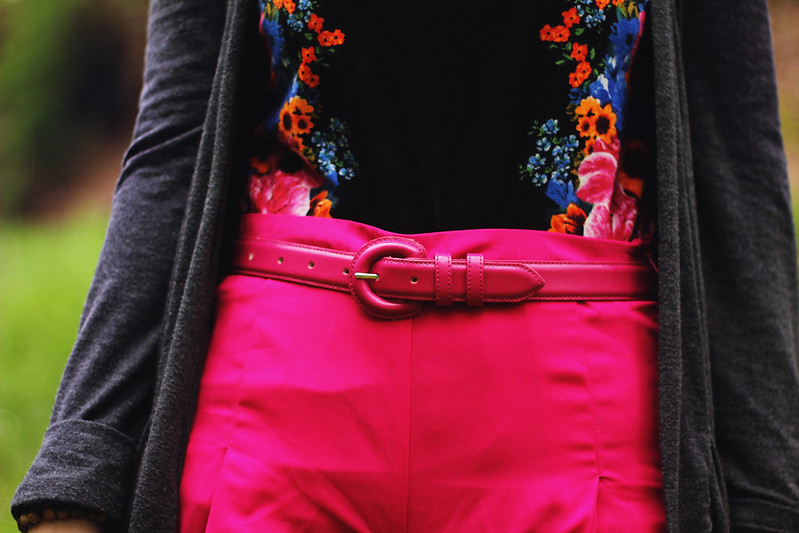
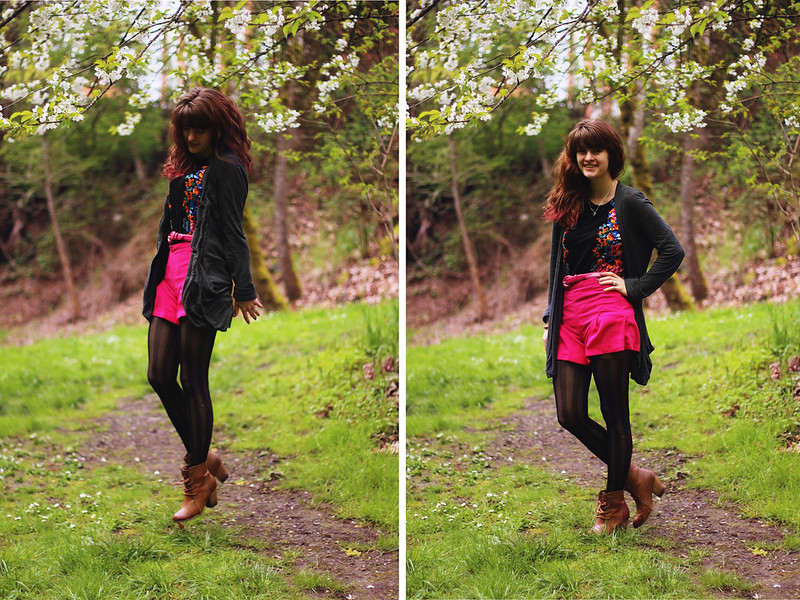
dress (as shirt)/belt: thrifted // shorts: asos // cardigan: borrowed // boots: forever 21 // tights: romwe


Happy Monday, you beautiful people! I hope you have a wonderful day today! Two more weeks ... just two little more weeks, then finals week, and then I'm home for the summer! I'm really excited for this summer, because I finally got my first real job! Well, I got a job as an unpaid intern, but I'm working for a local photographer and will most likely be doing a lot of office work and hopefully will be able to go with him to photoshoots and things like that. He is a really successful photographer and I am so excited to be mentored by him. It will be a full time thing, so hopefully I'll have time to take outfit pictures and do my own shoots with clients (if I actually get any, come on people, I want to take your picture!).
Plus I just love summer in general. Even though I love winter and all the snow, there's just something about the Alaskan summer that has captured my heart. The endless sun, the wild flowers, the perpetual smell of campfire in your hair, running around barefooted in the woods, climbing mountains, picking berries, walking along the beach, driving to the sea towns and exploring abandoned buildings, I could go on and on for hours. I live for the summer.

Also this summer, I'll actually be able to see Matt on a regular basis. No more long distance, hooray! We already have a list of movies that we want to watch together, and we are also planning on doing P90X together. I did it with my mom in 2010 and loved it, so I can't wait to do it again with him.
Speaking of Matt, I have some exciting news ... drum roll please ... Matt's transferring to my college next year! Hooray! He has been considering switching, so two weeks ago he came to visit me and look at the campus. I know it was a really hard decision and he's really sad to leave his friends, but I am also excited that he'll be a little bit closer. Our film program here has exactly what he wants to study, and even though it's not as developed as the program at his current school, I think he will really enjoy it. I'm friends with several film majors and they're all really cool, so I bet he will get along with them easily. We would have been okay if he decided to stay at his college, but hey, can you blame me for being excited? No more crying at the airport or saying goodbye!

I hope you all have a great day today!

mini instagram art project // acting in a film
It's been an exciting week. Coupled with last week, I've received several bits of exciting news. The first was that my photograph that made it into the Student Art Show at my college made it to the "second round," if you will, by being nominated by the professors for a Lippy Award, which is basically the highest honor at the Student Art Show. So students voted for the nominations and in a couple weeks the winners will be revealed at the awards ceremony. Cross your fingers! Another exciting bit of news is that my photography teacher "nominated" (not sure if that is the correct term, but it's the best one I got) me to submit a portfolio to the first annual photography awards at my school, where a panel of judges will look at everyone's portfolio and vote on the best one, which will also be revealed at the Student Art Awards. It's all very awesome and humbling and confidence boosting that my art is being recognized, especially when it's put in competition against people who are actually in advanced photography classes and who are older than me and who I really admire as photographers.
I've also been emailing my photography teacher about viewing photography as an art and what it means to be a photographer, and since we have been talking a lot about this recently, I just wanted to share some of the correspondence with you:
Up until very recently, I didn't consider snapshot shooters real photographers, and it wasn't until reading the words of Ansel Adams that I realized that even those candid photos have meaning, and sometimes greater meaning and emotion than the photographs that take hours to prepare for. For me, what it means to be a photographer, and really an artist in general, is to be able to adequately evoke an emotion from the viewer. If I can create an emotional response from the people who view my photographs, then I have succeeded as an artist. And the photograph in question shouldn't be confined to a fine art label, because simple senior portraits, fashion shots, and yes, even the snapshot can create deep emotions. Sure a photo can have perfect composition, perfect lighting, etc., but if it doesn't have that emotion, I would argue that it wasn't successful. So my argument is that it doesn't matter what label you give your photos, if they have that emotion, then they are art, and the person who created that art is a photographer and artist.
For the longest time I didn't consider myself a photographer or an artist, just someone who took pictures every day, due to the fact that I was constantly comparing myself to popular photographers while I was still a beginner. And while I think it's necessary to compare your work to others', especially within the business of photography, you should never be discouraged by their success. When people started taking note of my work and asking me to shoot them, that was when I began to consider myself a photographer. But now that I have been doing it for a while and I can look back on my journey so far, I think the moment I became a photographer was the moment I picked up a camera and began my first 365 project. That was the moment I took pictures seriously. Whether or not I was a good photographer was a different question, but in that act of creating that I began to undertake, that was the moment I put on the title of photographer, just like when a great painter picks up his brush for the very first time. It is that potential for greatness that labels us.
Well, this post has turned into a photography post again. Sorry about that, haha. In other news, the rest of my week (as revealed by my intagram), was filled with helping my friend Jenna with an assignment for her film class. I got to channel my inner Oklahoma girl (I used to live there) and be a cowgirl on the wild west. It was really cold and really fun.
I hope your week was fantastic!

A film photo taken and developed by me for my photo class.
Here is the short story I wrote to go along with the photo:
Funny how one object can hold the weight of the entire world—whether that weight be of the world changing or of the world falling apart—in the memory of one’s mind. It was a quiet sunny day, a cold, fall evening, a misting night with the stars beginning to twinkle into existence; it was a million different days and nights for the little wooden bench at the back of the park, with its rusting nails and chipping paint hanging on for dear life and weathering bark showing more of its skin than the paint that was fighting a losing battle.
A quiet, sunny day found the bench gazing upon two people, a man and a woman, walking up to it hand in hand. Her hair was curled and she wore a white dress with lace and flowers, and he wore glasses, a newsboy cap, a button down shirt, and a nervous smile. They sat down on the bench close to each other, the land silent save for the light wisps of wind giving hints about the future. The man stood up suddenly, that wind twirling the tuft of hair underneath his cap flirtatiously. He held onto his girl’s hand and led her a short distance from the bench. He spoke softly. The bench felt the same tickle from the wind and heard a bit of that future insight, and just like it heard, it watched as the man knelt down on one knee and pulled out a small, light pink box from inside his coat pocket. The girl gasped and started crying, but the bench knew from its lifetime of observations that these weren't sad tears. After several moments of the man talking and the girl wiping away tears, they sat again on the happy bench, she resting her head on his shoulder and him resting his head on hers. The three watched as the sun began to set on the gleaming city lights before them.
The sun was beginning to set on a cold, fall evening and the bench saw a girl walking towards it from the right, chatting away loudly on a cell phone in some language the bench didn’t understand. She had a bag over her shoulder and wore high heels and her feet jumped quickly one in front of the other as if in a race to a finish line. The bench felt its wood aching, wanting to let her rest on it. The view of the city was beautiful that day, with hues of red and orange and yellow glittering through the fog, and the bench knew, for it was wise and saw many people, that the girl needed a glimpse of those city lights and needed to be held within their aura. She needed just a moment to be reminded of the ground she came from and of the beauty of that ground. But as it was thinking about this the girl came and went. It saw her shadow leaving and then she was gone and only little stars began to twinkle from her trail.
The stars twinkled into existence as faint clouds cried over a darkening world. An old woman sat crying on the old bench, her tears mingling with raindrops dampening her graying hair. The bench too felt the weight of her sorrow caving in on it, and wished, as it had a million times before to a million different people, it could tell the woman to just look at the beautiful city, with its raindrop races sliding down every window and the stars being spotlights for every person who looked towards the hill where the bench stayed. It longed to pick up its stools and wrap around the woman, shield her from the rain and comfort her. But she just held her face in her hands, never looking at a city that held a lifetime of memories for her. If only she knew how many lifetimes the bench had seen and how life was still beautiful. She didn't notice the rain whispering thoughts of the morning.
No one knew quite like how the bench knew. It knew the city. It knew the people in it. It saw forever stretched out like it did not know time. And it knew that despite the good and the bad that people thought would change their lives forever, those things were only a progression to another day and another night, another year, another lifetime of memories, another lifetime of chances taken and chances missed.
Funny how one object can hold the weight of the entire world—and yet, that weight did not sag its beams. It only left dents and scratches and paint chips and the bench knew that the city would continue, even if it—though it could stretch out the timelines of generations of people it knew—knew it would one day too lose the battle.
website//facebook//500px//blog

